
School Tycoon Players & Multiplayer
Share a server with up to three other principals - keep plots friendly and progress clear.
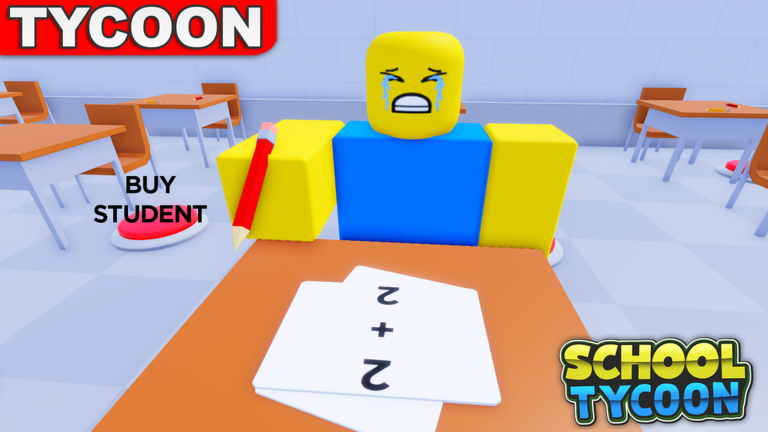
School Tycoon is an online multiplayer Roblox experience with a maximum of four players per server. Each principal claims a tycoon plot, collects homework, hires staff, and expands floors while others do the same nearby. Progress autosaves to your account, so a disconnect does not erase a good session - but server etiquette still shapes whether the lobby feels fun or chaotic. This hub covers how to behave on shared servers, how to compare schools without toxicity, and where gamepasses fit if you spend Robux.
Server basics
- Max players: 4
- Developer: Shark Fin Studios LLC
- Place: School Tycoon on Roblox (id 5187612424)
- Save system: automatic
- Co-op style: shared world, separate tycoon progress
You are not building one communal school. You are running parallel campuses in the same instance. Helpful vibes are welcome; grief expectations from combat games do not apply, but hopping pads or blocking paths can still annoy neighbors.
Multiplayer etiquette
- Stay on your plot for purchases. Buy your own desks, stampers, and staff pads. Do not spam someone else’s buttons.
- Keep movement respectful. Cutting through another school is fine for sightseeing; parking on their collect route or bus path is not.
- Chat kindly when comparing. “Nice third floor” beats “my school is richer.” Many players are kids learning tycoons for the first time.
- Do not advertise scripts. Pushing injectors in chat risks other accounts and breaks the tone of a school sim - see the Scripts Hub.
- Leave room for the bus. When someone runs field trips, give the vehicle path space.
- Rejoin etiquette. If you hop servers to find a quieter lobby, that is normal. Your save travels with you.
Comparing schools productively
Looking at another player’s campus is one of the best free tutorials in School Tycoon. Use comparisons to answer:
- Which stamper tiers did they finish before heavy furniture?
- How many desks before a big student wave?
- Did they unlock schedule Customize early for trips?
- Which floors still show unpurchased S-tier pads from our upgrade list?
Take notes, then apply the same order on your plot via Make Money and Complete School. Avoid copying pure cosmetics before your income matches theirs.
Playing with friends
Private or friend-heavy servers (still capped at four) are ideal for voice chat coaching. Assign roles loosely: one friend narrates purchase order while another watches capacity. You cannot spend currency on each other’s tycoons as a shared bank, so each person still needs their own homework loop. Redeem codes on every account individually.
Gamepasses overview
Roblox gamepasses and developer products can add VIP-style perks, faster movement, or collect quality-of-life. Exact Robux prices change, and not every pass is mandatory for finishing the school. Read the dedicated Gamepasses page before buying. Never purchase passes from third-party “free Robux” sites.
When servers feel empty or full
School Tycoon typically sees hundreds of concurrent players across Roblox, with tens of millions of visits historically. A quiet server is great for focused building. A full four-player lobby is better for social comparison. If teleporting fails, wait and retry; your autosave keeps the school intact.
Linking progress to the rest of the wiki
- New on the server? Getting Started + Controls.
- Want faster coins? Make Money + staff tiers.
- Showing off a finished build? Complete School + Tools checklist.
- After a patch? Updates then retest codes.
Play fair, spend smart, and treat the other three players as classmates - not competition for a single throne.
Frequently Asked Questions
Quick answers to the most common School Tycoon questions.
How many players can join a School Tycoon server?
Up to four players share a server. Each runs their own tycoon plot with progress that autosaves.
Can friends share money or unfinished floors?
No shared bank. Everyone collects homework and buys pads on their own plot. You can still coach each other in chat.
Is School Tycoon safe for younger players?
It is a building and management tycoon. Use Roblox account settings and keep chat respectful. Avoid script ads from strangers.
Where do I learn about VIP or other passes?
Open the Gamepasses guide under this hub for value advice and honesty about uncertain Robux prices.
What should I do if someone bothers my plot?
Move servers if needed, use Roblox report tools for harassment, and keep building. Your progress is saved to your account.